
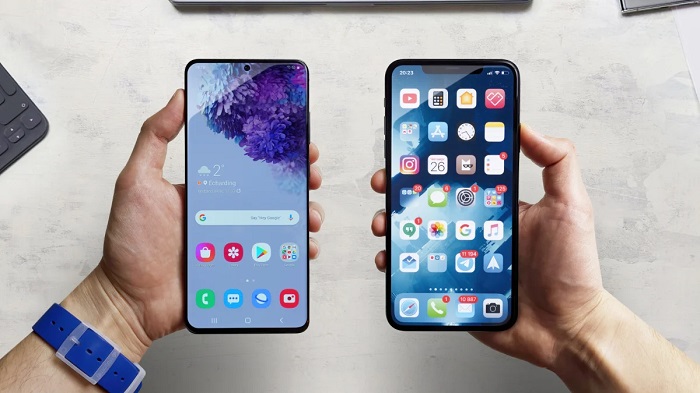

Smartphones have matured past the point where spec bumps, marginal chip improvements, or slightly brighter screens dramatically alter daily life. Hardware is remarkably solid across the board, which means the real competition has shifted to operating system convenience. The features that make the biggest difference are rarely the headlining marketing hooks demonstrated on conference stages. Instead, they are the quiet, micro-level conveniences designed to eliminate the repetitive friction points of modern communication, navigation, and security.
Both Android and iOS have increasingly focused on context-aware tools that do the heavy lifting in the background. Rather than forcing you to jump between three different apps just to copy an address or track an incoming delivery, modern mobile operating systems bring the relevant information directly to your screen. When you evaluate the software that actually improves day-to-day productivity, several standout capabilities on both platforms prove why modern smartphones feel so intuitive.
Contextual Visual Search and Frictionless Data Extraction
For years, searching for something visible on your phone screen meant taking a screenshot, cropping the image, saving it to your photo library, and uploading it to a standalone visual search app. That multi-step obstacle course has finally disappeared.
Android addressed this problem decisively with Circle to Search. By long-pressing the home navigation handle or home button, you freeze the current screen and simply circle, scribble over, or tap any element you want to identify. Whether you are curious about a jacket in an Instagram video, trying to decipher a landmark in the background of a message thread, or searching for the plant species shown in a gardening article, the answers appear immediately in a pull-up sheet without forcing you to leave your current application.
Apple tackles visual data from a slightly different, equally practical angle with Live Text and Visual Look Up. The feature operates natively across photos, screenshots, Safari images, and paused video frames. Pointing your iPhone camera at a physical router instantly makes the Wi-Fi password selectable for quick copying. If a friend sends a snapshot of a flyer, you can tap a phone number to call it directly, tap an address to open turn-by-turn directions, or highlight an unfamiliar currency to view automatic conversion rates in real time. These tools eliminate manual typing, reducing tedious transcription errors down to zero.
Automated Call Management and Intelligent Audio Screening
Unwanted phone calls, spam interruptions, and agonizing customer service hold queues remain some of the most frustrating aspects of owning a smartphone. Both operating systems have implemented genuinely helpful audio intelligence features that return control to the user.
Google’s Defensive Call Suite
Google’s software ecosystem excels at conversational gatekeeping through Call Screen and Hold for Me. When an unrecognized number rings an Android device, you can prompt Google Assistant to answer the call on your behalf. The assistant asks the caller who they are and why they are calling, transcribing their spoken words onto your screen in real time. If it is an automated telemarketer, the call typically disconnects immediately; if it is a genuine doctor’s office or delivery courier, you can pick up mid-call or send a quick contextual reply. Similarly, when you are stuck navigating a toll-free customer service maze, Hold for Me listens to the hold music and alerts you with a vibration and ring chime only when a human representative actually joins the line.
Apple’s Real-Time Voicemail Interception
On the iOS side, Live Voicemail resolves the hesitation of ignoring unknown numbers. When a caller is routed to voicemail, your iPhone screen displays a live, scrolling transcription of the message as the caller speaks it. If you notice that an unknown area code is actually your auto mechanic calling about a repair update, you can answer the call while they are still speaking. Because the transcription is processed entirely on-device, caller privacy remains protected without sending raw audio to an external server.
Glanceable Interfaces and Micro-Interactions
Unlocking your phone dozens of times an hour just to check minor status updates fractures your focus and drains your battery. Modern interfaces increasingly treat the lock screen and display margins as ambient notification hubs.
With Live Activities and the Dynamic Island, iOS turned an unavoidable hardware camera cutout into a functional status monitor. Active events—such as sports scores, rideshare driver ETAs, flight boarding statuses, and food delivery trackers—nest quietly at the top of the interface or remain visible on the always-on lock screen. You can monitor the progress of your dinner order or track a running timer while reading an article, without switching contexts or opening the host application.
Android counters with deep, contextual lock screen widgets and granular notification channels. Unlike blanket alert toggles, Android lets you customize notification behavior within individual apps. You can tell a food delivery app to silence promotional marketing push alerts while allowing delivery arrival alerts to ring loudly. Coupled with Google’s At a Glance widget, your lock screen surfaces boarding passes when you arrive at the airport, weather alerts when storms approach, and commute updates right as you leave your office.
Native App Sandboxing and Effortless Security
Handing your unlocked phone to a friend or coworker to share a photo album often triggers a moment of hesitation. What if they swipe too far, or an embarrassing notification pops up? Recent platform updates have addressed this everyday anxiety with built-in privacy boundaries.
Android provides Private Space, a dedicated, sandboxed digital safe built directly into the operating system. Apps placed inside Private Space—such as banking utilities, healthcare records, or private messaging platforms—are completely isolated from the standard app drawer, recent task lists, and global notification feeds. You can set Private Space to require a distinct PIN or biometric scan, or configure it to remain completely invisible in the interface until you manually search for it.
Apple accomplishes a similar level of protection with native App Lock and Hidden Folders. Any installed application can be locked individually behind Face ID, Touch ID, or a passcode. If someone borrows your phone to look up an address, they cannot open locked applications without passing a biometric check. Both operating systems have also universally adopted passkey infrastructure, allowing you to log into major websites and services using biometric verification instead of recalling complex passwords or waiting for sluggish SMS verification codes.
System-Level Gestures and Behavioral Shortcuts
Small, repeatable physical gestures often save more time over the course of a day than major feature overhauls.
-
Android App Switcher Text Selection: In the recent apps overview on many Android devices, you can highlight, copy, or share text directly from the miniature preview windows, even if the application itself blocks standard text selection.
-
Apple Back Tap: Found within iOS accessibility settings, this feature turns the physical glass back of your iPhone into a programmable trigger. Double-tapping or triple-tapping the back of the device can toggle your flashlight, capture a screenshot, or launch a custom multi-step shortcut.
-
Contextual Focus Modes: Both platforms now allow you to tie your phone’s behavior to physical locations or calendar schedules. You can automatically silence work Slack notifications the moment you arrive home, or switch your home screen layout to display strictly productivity tools during business hours.
The Cumulative Benefit of Thoughtful Design
The hallmark of great software design is that it fades into the background. You rarely think about the complex optical character recognition algorithms running behind the scenes when you tap a tracking number inside a photo, just as you rarely dwell on the natural language processing powering a call screen transcript. You simply appreciate that you got the information you needed without wasting three minutes tapping through menus.
As Android and iOS continue to adopt the best aspects of each other’s operating philosophies, smartphone users come out ahead. The devices in our pockets may not look radically different from year to year, but the everyday experience of using them has quietly become faster, calmer, and significantly more capable.

Comments are closed.